
Receipt Capture
Photograph a receipt, check it against the original, and keep a clean file you own. Made for small businesses that claim GST, and for anyone tired of re-typing receipts into Xero.
Android. No account. Your receipts stay on your phone. Free, with one banner ad. In testing now; the Google Play listing is on its way.
Why I built it
Paper receipts fade in the glovebox. Emailed ones are scattered across inboxes in a dozen different layouts.
At the end of the month somebody re-types them into Xero, or hands them to a service that keeps everything in a format only that service can read. If you ever change tools, the receipts don't come with you.
Receipt Capture does the boring part and leaves you in charge. It reads the receipt on your phone, puts what it found next to the original photo so you can check it, and saves one file per receipt in ORF, the Open Receipt Format. That file is yours: it's plain JSON that opens anywhere, it isn't tied to one accounting package, and the photo stays attached, because a tax office can ask to see the original.
How it works
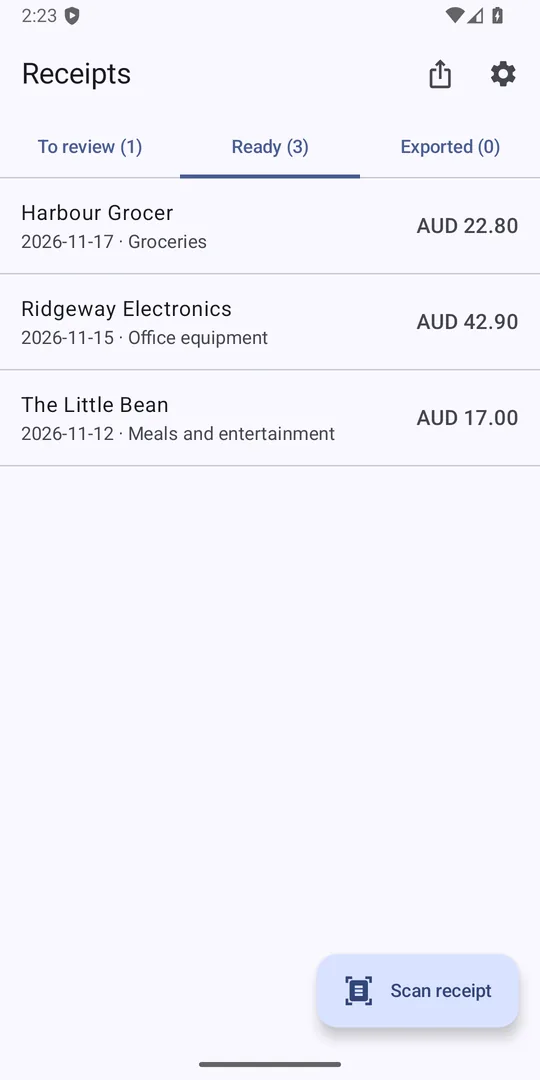
Scan, check, say what it was for, export. A receipt takes well under a minute.
Scan or share
Tap Scan receipt, or use the home-screen widget. Edges are found and cropped for you. Or share an email, PDF or photo to the app.
Check it
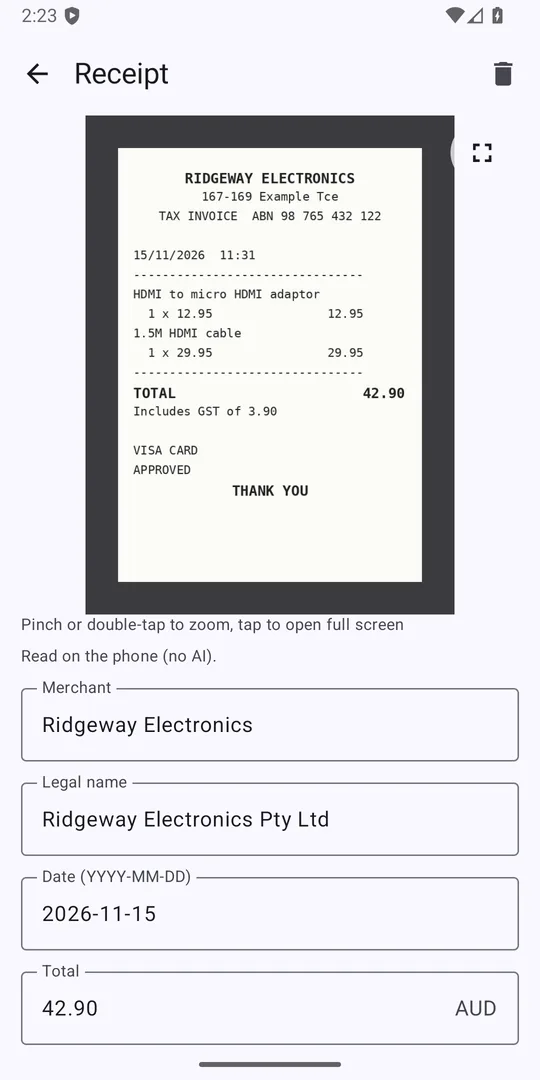
The fields sit under the photo. Zoom in on the total, the date and the GST. Anything the app is unsure about is highlighted.
Say what it was for
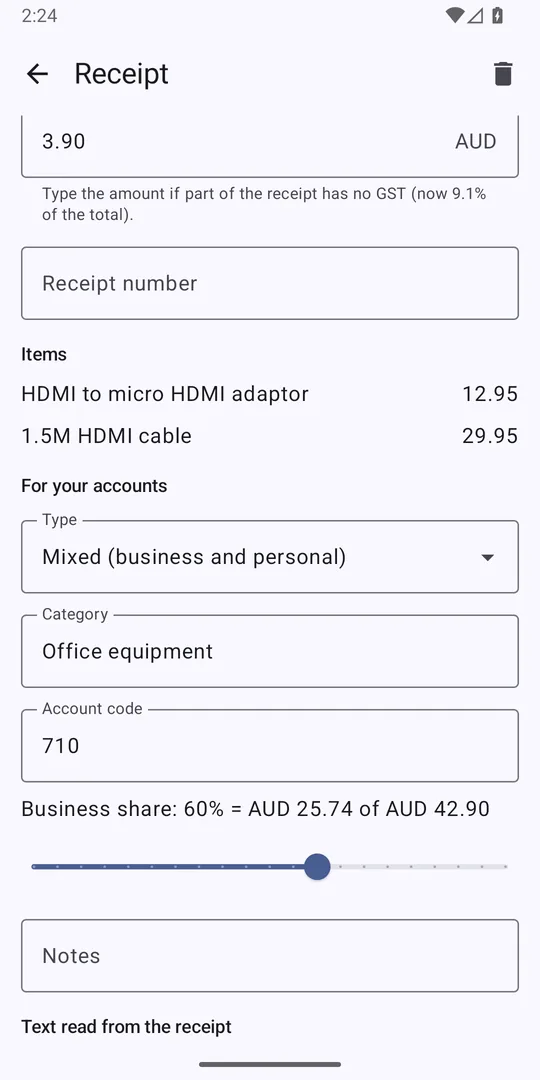
Business, personal or mixed, then a category and account code. The app remembers what you've used before.
Export
Reviewed receipts become a Xero bills CSV, or a ZIP of your ORF files and photos for your records.
Reasons to use it
The small details that decide whether checking receipts is a chore or a two-minute job.
Check it against the paper
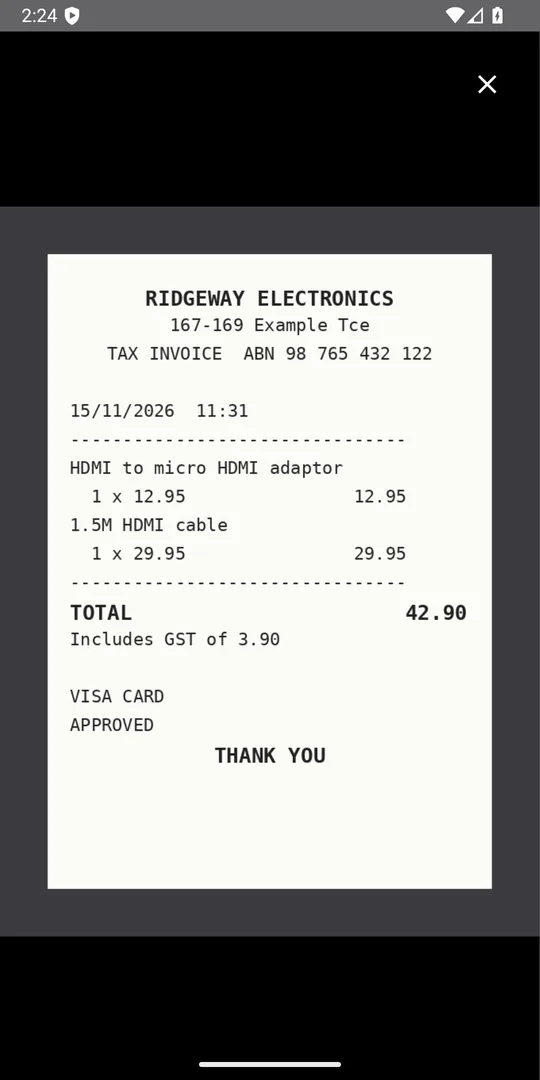
Every receipt keeps its photo beside the fields. Pinch or double-tap to zoom, tap for full screen, and flip through every page of a long receipt. Sums that don't add up are flagged, never quietly changed.
Reads Australian receipts
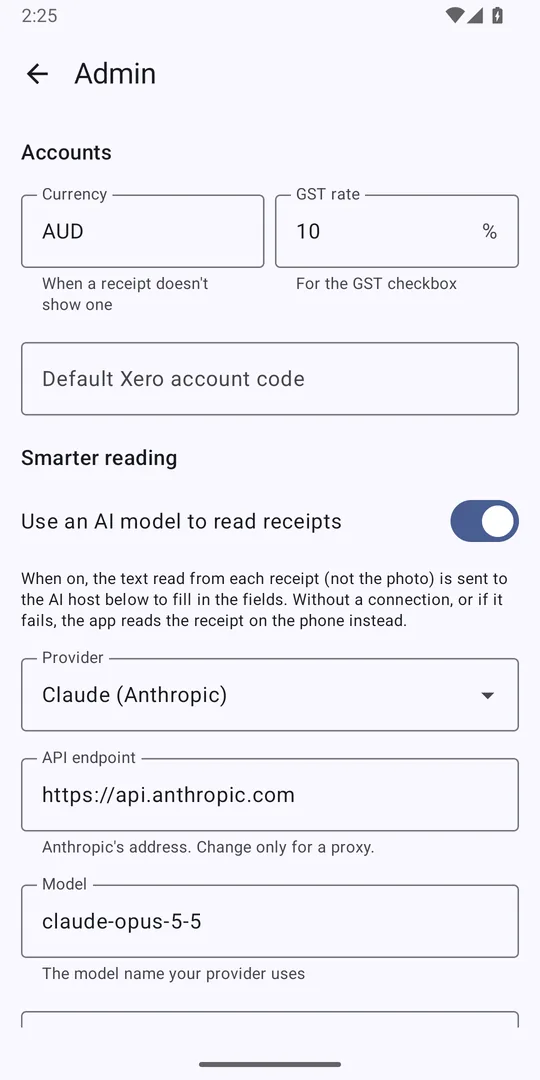
Day-first dates, ABN checks, "GST included" lines, "Total inc. GST" labels, and receipts that print an amount above its label. Other currencies and tax rates work too: set yours once in Admin.
GST that matches the receipt
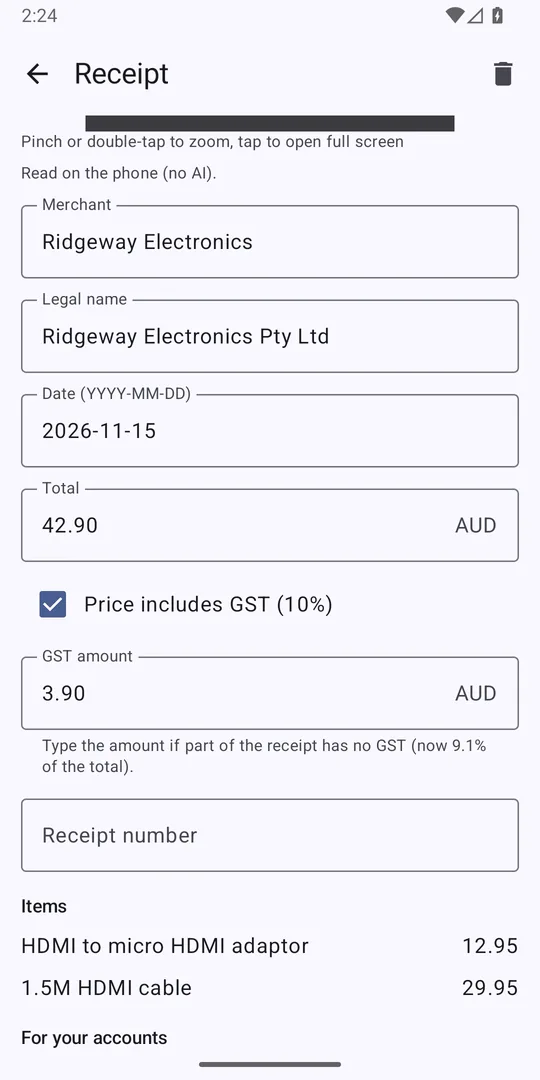
Tick "Price includes GST" and the amount fills in. If part of a receipt is GST-free, type the real amount and it shows what share of the total that is.
Business, personal or mixed
Mark each receipt, and for mixed ones choose the business share and see the dollar amount. Personal receipts stay out of the Xero export.
Remembers how you code things
Category and account code are type-to-find lists that learn from your own receipts. Pick a category and the account code you usually pair with it follows.
Scan in one tap
Put the widget on your home screen, or press and hold the app icon, and you land straight in the scanner. Up to five photos per receipt, for the long ones.
Export for Xero
Reviewed receipts export as a bills CSV for Xero's import (tax inclusive), or everything as a ZIP with the ORF files, photos and the CSV.
Share receipts in
Share an email, PDF, photo or ORF file to the app from Gmail, Files or anywhere else. An ORF receipt a merchant issued is imported exactly as they issued it.
No account, works offline
Nothing to sign up for and nothing to sync. Scanning and reading work without a connection.
See it
Screenshots from the test version. The receipts are made up.
Sharper on messy receipts, if you want it
Reading happens on your phone by default. For receipts that defeat it, you can add an AI model, off by default.
Your provider, your key
Choose Claude (Anthropic), OpenAI, Abacus.AI ChatLLM, or any OpenAI-compatible endpoint, and paste your own API key. A "Test connection" button tells you straight away whether it works. The review screen says how each receipt was read, and if the AI call fails the app falls back to reading on the phone.
Or use any AI chat by hand
"Copy for AI" puts the receipt's text on your clipboard with instructions to turn it into ORF. Paste it into any chat, copy the reply, then press and hold Scan receipt and choose Paste JSON. The receipt updates, keeping its photo and your notes.
Your receipts stay on your phone
There's no account and no server of mine in the middle. Receipts, photos and settings live in the app's private storage, and uninstalling the app deletes them.
Scanning uses Google's document scanner, so the app never asks for camera access and only sees the pages you scan. The app is free and shows one banner ad at the bottom, from Google AdMob. The ad never sees your receipts, and there are no analytics of my own.
Where things go
Stays on the phone
Always.
- Photos, PDFs and emails you scan or share
- The text read from each receipt
- Your receipt files and their notes
- Your settings, categories and account codes
- Your AI key, if you add one
Leaves only if you choose
Never automatically.
- Receipt text (never the photo) goes to the AI provider you picked, if you turn AI on
- An export goes to the app you share it to
- "Copy for AI" goes to the clipboard, and from there to wherever you paste it
The one exception is the ad. The banner at the bottom is loaded automatically by Google AdMob, which can use your phone's advertising ID to show and measure ads. It never sees your receipts. You can reset the ID in Android settings.
The full detail is in the privacy policy.
What it can't do (yet)
Better you hear it from me now than find it out on tax day.
- Reading a photo can get a digit wrong.A skewed, faded or creased receipt can turn an 8 into a 2. That's why the photo sits next to the fields. The app flags sums that don't add up, but checking the total is still your job.
- It isn't a live Xero connection.You import its bills CSV into Xero yourself. Refunds are left out of the CSV, with a note saying why.
- A ZIP export can't be imported back in yet.Individual ORF files can: share them to the app.
- Android only.Android 8.0 or newer. No iPhone version.
- Tuned for Australia.Other currencies and tax rates work, but the ABN and GST smarts are Australian.
- Not affiliated with Xero.It's an independent app that makes a file Xero can import.
Help test it
Status: in testing
Receipt Capture is being tested on Android before it goes on Google Play. It's free, supported by a banner ad at the bottom of the screen (Google AdMob; it never sees your receipts). I haven't settled whether there will be a paid version without ads.
If you'd like to be a tester, email labs@craiglambie.com and say you're on Android. I'll send an invitation to the test version. Please don't email me real receipts; I don't need any to answer.
Questions
Is it free?
Yes. It's supported by one banner ad at the bottom of the screen, provided by Google AdMob. The ad can use your phone's advertising ID, but it never sees your receipts. In Europe and the UK you're asked for consent first. I haven't decided whether there will be a paid version without ads.
Where is my data?
On your phone, in the app's private storage, where other apps can't read it. There's no account and no server. Delete a receipt in the app, or uninstall, and it's gone. The app doesn't back up to the cloud, so export a ZIP when you want a copy elsewhere.
What does the AI option send, and where?
Only the text read from a receipt, never the photo. It goes straight from your phone to the provider you chose, over HTTPS, using your own account and key. It can include the shop's name and address, items, amounts, and an ABN or card digits if they're printed on the receipt. It's off until you turn it on, and the provider's own policy applies to it.
What is ORF?
The Open Receipt Format, an open JSON format for receipts. Every file the app writes is checked against the ORF schema, and fields the app doesn't know about are kept, never dropped, so the files stay useful in other tools.
Does it connect to Xero?
Not directly. It makes a bills CSV in the layout of Xero's import, tax inclusive, and you import it in Xero (Business, Bills to pay, Import). Receipt Capture is independent and isn't affiliated with or endorsed by Xero.
Can I get my receipts out?
Yes, in several ways. Each receipt is a plain JSON file, you can export a CSV for Xero, and you can export a ZIP with every ORF file, every photo and the CSV.
What if it misreads a receipt?
Fix it on the review screen, with the photo right above. You can also read the receipt again with an AI model (see above), or paste in a corrected ORF reply. A receipt only counts as ready once you've marked it reviewed.
Which phones does it work on?
Android 8.0 or newer. It uses Google's document scanner, which comes through Google Play services.
Does it work outside Australia?
It reads receipts from anywhere, and you can set your own currency and tax rate in Admin. The ABN checks and the "GST included" wording are Australian, and dates are read day-first.
Is it open source?
The app's code isn't published yet. The format it writes, ORF, is an open specification, so your files never depend on this app. If you'd like to review the code before relying on it, ask.