
Clashless
The conference and event planner for when everything good is on at once. Line up the sessions that clash, rank them, and always know which room to head to next.
Free. No account. Your plan stays in your browser.
Why I built it
I go to conferences for three or four different interests at once: policy, finance, EVs, community energy. So the sessions I want are always on at the same time, in rooms at opposite ends of the venue.
The event website lets me favourite sessions, but then shows them as one long list. I wanted to see each clash side by side, decide in advance which one wins, and have a second choice ready when the first room is full.
How it works
The first step happens on the event website. The rest happen in the planner.
Choose your sessions
On the event website, favourite every session that looks interesting. Don't worry about clashes yet. (All-Energy sessions)
Get them into the planner
Use the bookmarklet or extension on your “My Plan” page, or upload the “My Plan” PDF.
Review your plan
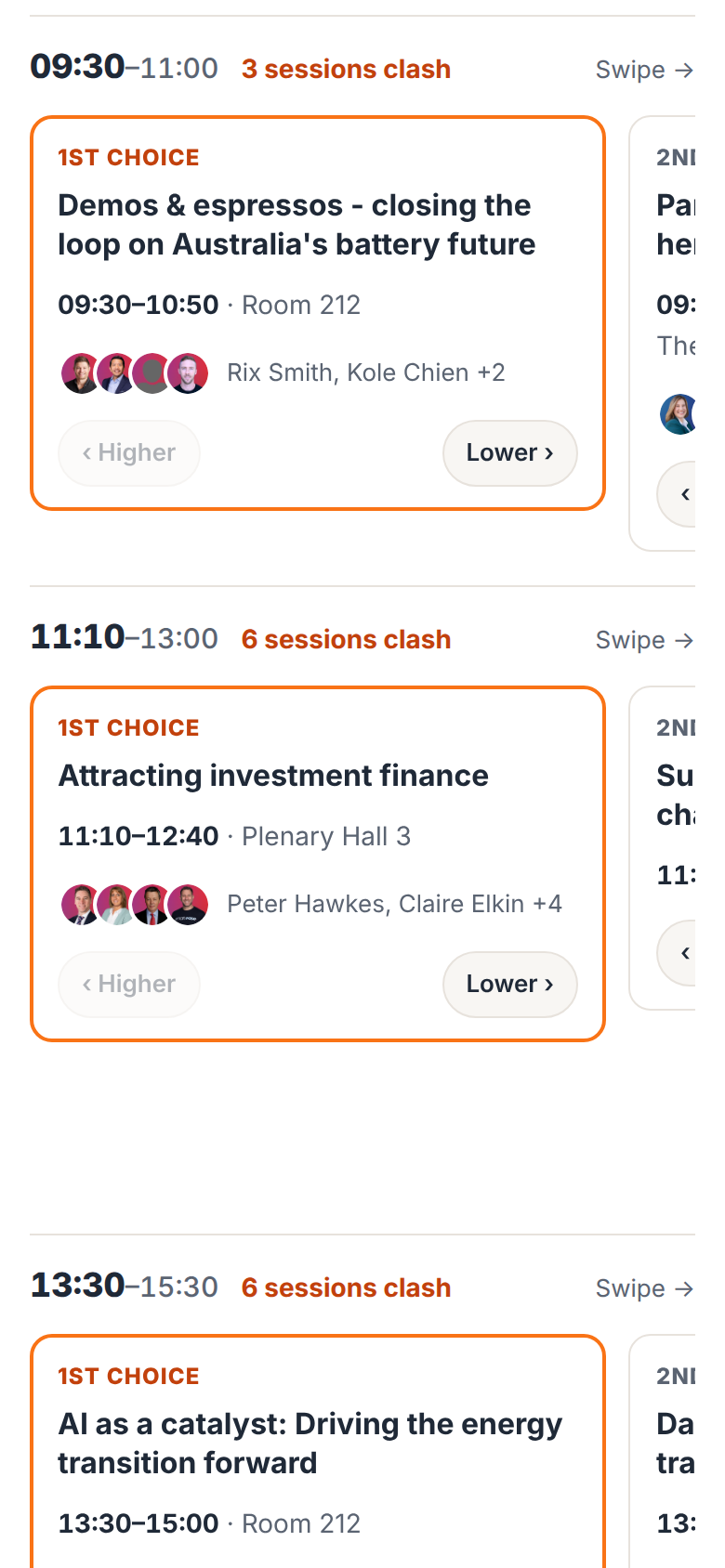
Sessions that clash sit side by side. Drag them, or use Higher and Lower, so your first choice is on the left. Tap a session for its speakers.
Move it to your phone
In the planner, choose Send to phone and email the link to yourself. Tap it on your phone and your plan opens, in your order. Install it from the browser menu and it works offline at the venue.
Get your sessions in
Built and tested on All-Energy Australia 2026. Other events that run on the same RX platform may work too.
Bookmarklet
Quickest on a laptop. Nothing to install.
- Drag the button below onto your bookmarks bar. (Show the bar with Ctrl+Shift+B, or ⌘+Shift+B on a Mac.)
- On the event website, open your shared “My Plan” link, or the sessions directory, and choose a day.
- Click the bookmark. The planner opens and asks before adding anything.
- Repeat for each day.
Drag it to your bookmarks bar. Clicking it here does nothing.
Browser extension
A button in your toolbar, with a preview of what it found. It can only read the tab you click it on, and only when you click it.
Install in Chrome or Edge
- Unzip the download.
- Go to
chrome://extensions(oredge://extensions) and turn on Developer mode. - Choose “Load unpacked” and pick the unzipped folder.
Install in Firefox
- Go to
about:debugging#/runtime/this-firefox. - Choose “Load Temporary Add-on…” and pick the downloaded zip.
- Firefox removes it when you quit, until it's published on Firefox Add-ons.
“My Plan” PDF
Works on a phone, and on any event that exports the same PDF.
- On the event website, download your “My Plan” as a PDF.
- Open the planner and choose Add sessions, then upload the PDF.
The PDF has titles, times, rooms and speaker names, but no photos or descriptions. Use the bookmarklet later to fill those in; it updates the same sessions.
Your plan stays with you
There's no account and no server. Sessions and rankings are saved in your browser, on your device. The bookmarklet and extension hand sessions to the planner in the link itself, so they never pass through Lambie Labs.
Send to phone works the same way: your plan travels inside the link you email or message to yourself.
Questions
Which events does it work with?
It's built for All-Energy Australia 2026. The capture reads the RX events platform's session directory, which many trade shows use. For other events, the PDF upload or a JSON file works. If you want an event supported, email labs@craiglambie.com.
Can I use it on my phone at the event?
Yes. The planner shows one session at a time on a phone: swipe sideways to compare clashing sessions, and use the Higher and Lower buttons to rank them. Bookmarklets are awkward on phones, so capture on a laptop and use Send to phone, or upload the PDF on your phone. Choose “Install app” (or “Add to Home screen”) and the planner opens like an app and keeps working when the venue Wi-Fi drops.
What happens when sessions only partly overlap?
They go in the same row. A row starts with the earliest session and keeps going while sessions overlap, so a long plenary can share a row with two short talks.
Why isn't the extension in the Chrome Web Store or Firefox Add-ons?
Not yet. Until it is, it installs in developer mode, as described above.